How we industrialize Figma to create the new Ledger NANO
Apr 08 2025
Building on the solid foundations established during the Stax and Flex projects, we have continued to evolve our library system. Our core objective is to capitalize on this existing work to efficiently translate the new art direction, thereby ensuring a smooth and efficient transition for Ledger’s design teams.
Introduction
To achieve this, we are adopting a rigorous atomic approach, allowing us to deconstruct and reconstruct components with fine granularity to guarantee both visual consistency and modularity once the project is completed.
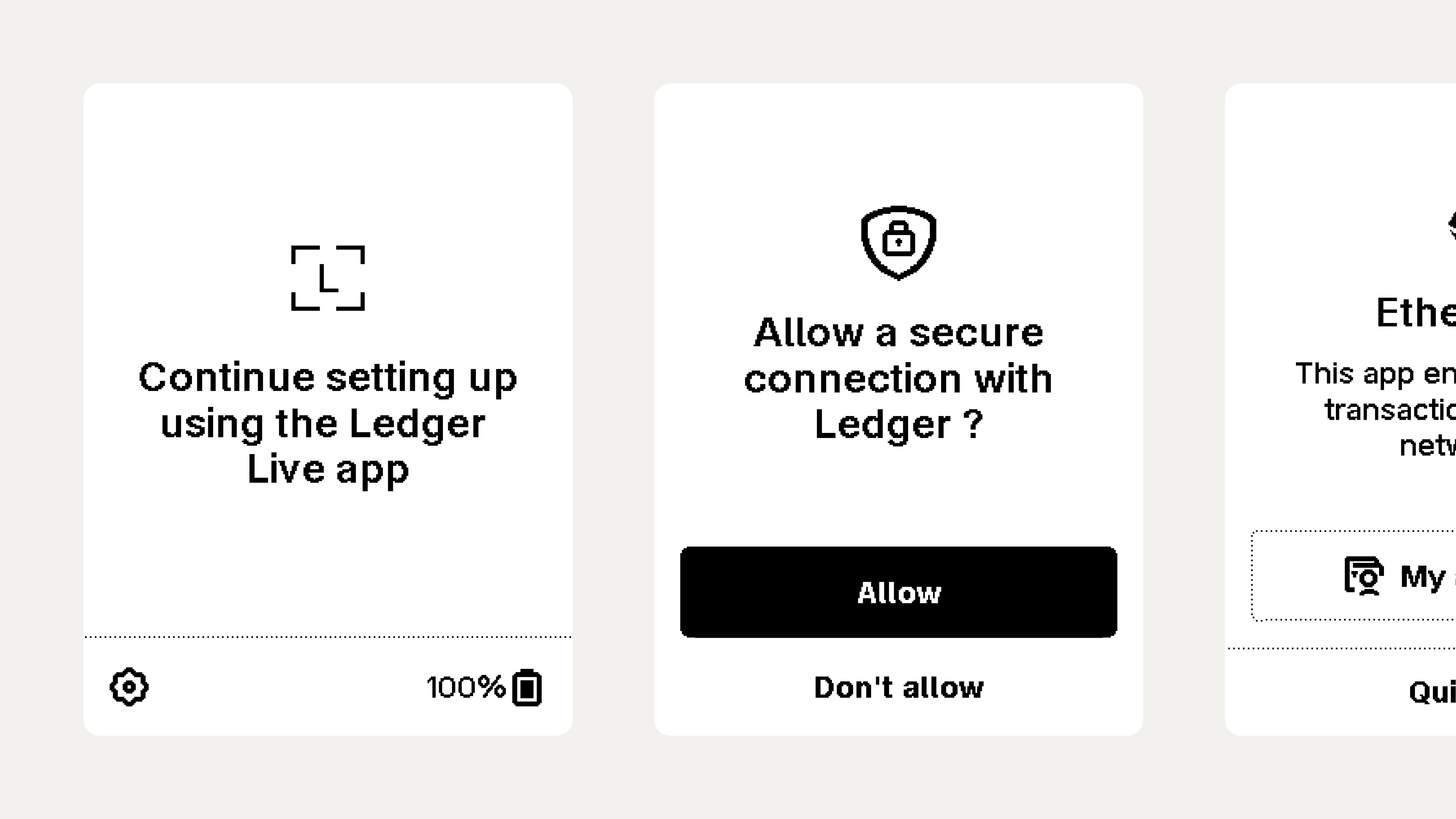
Atomic approach
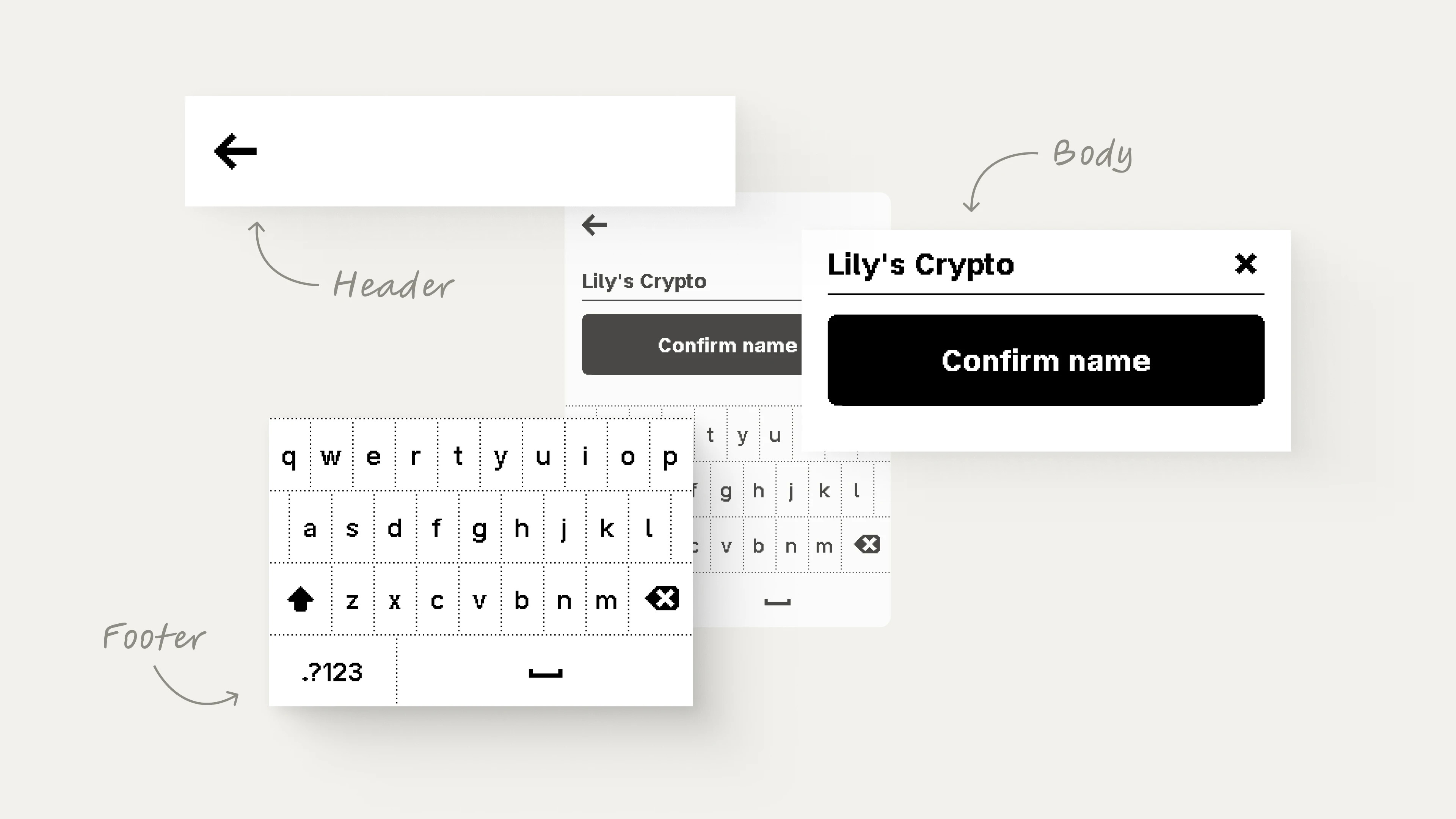
To ensure both speed and stability, we rely on the extensive use of nested components. This allows for rapid screen assembly while keeping the underlying structure solid and easy to update.
Our system distinguishes between a global, transversal library and dedicated libraries for each tool, allowing us to create master templates that can be 'infused' directly into specific features.
So, taking a concrete example: how do we go about creating this 'INPUT' template?
Define Core components
Assuming that foundational atoms such as colors, typography, and icons are already established within the transversal library, our focus shifts immediately to execution.
Once the new Art Direction is validated, we begin the high-fidelity production—or 'pixelization'—of our component set.
This process follows a strict bottom-up methodology, starting with the lowest-level elements like buttons, steppers, and inputs before scaling up.
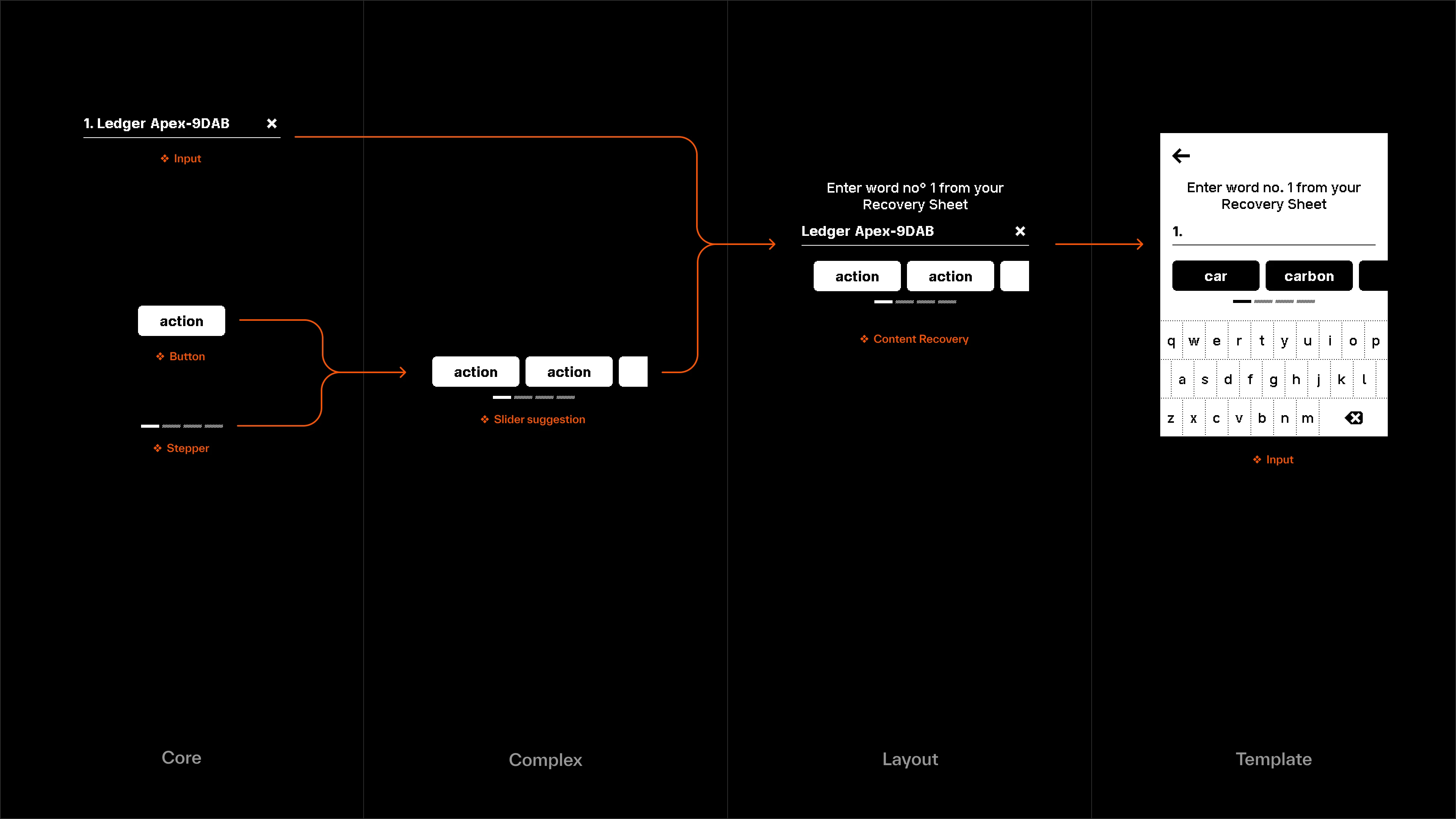
Move up to the second and third tiers to build 'Complex' and 'Layout' elements.
Once our core components are established, we move up the hierarchy to construct the 'Complex' and 'Layout' elements, such as the content recovery section, footer, and header.
In this specific instance, this leaves us with a header (containing only the navigation arrow), a footer (the rendered keyboard), and a body featuring the content recovery module.
We then assemble these three distinct parts into a unified screen and select the appropriate variants to officially define the 'Input' template.
Now, creating specific screens
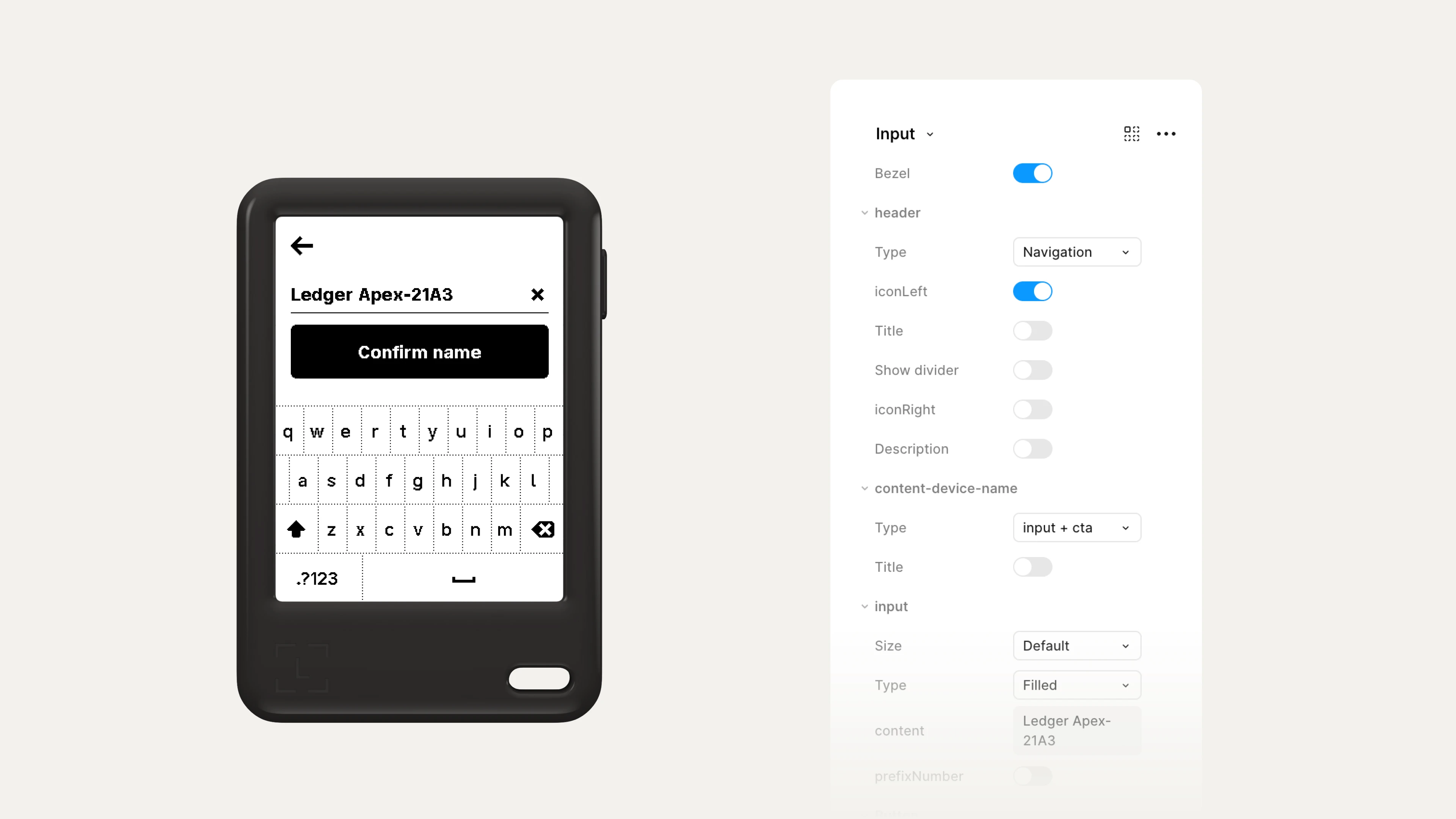
With our template in place, we move into the production file, adjusting variants to generate the correct screens, states, and placeholders. We repeat this process for every single state required by the operating system.
You can imagine the sheer volume of screens derived from just these 12 master templates; yet, ultimately, this workflow allowed us to generate over 1,000 screens in just eight weeks to successfully deliver the new Ledger OS.